Android, Wear OS, iPhone, Apple Watch & Web · Building in public

One Machine.
Three Gears.

Kombine combines task planning, a Pomodoro timer, and activity tracking — synced across all your devices in real time. Tasks have energy levels, not just priorities. When you open the app, you see what you can actually do right now.

Named after the Polish word for a combine harvester — one machine that does the work of many.

New features, milestones, and dev notes. No spam.
android Get it on Google Play phone_iphone Download on the App Store language Open in your Browser
What Kombine does

Plan. Act. Track.
The same loop, three surfaces.

assignment
01

Plan

Your tasks, matched to your energy

  • Add tasks with priority and energy level required — low, medium, or high
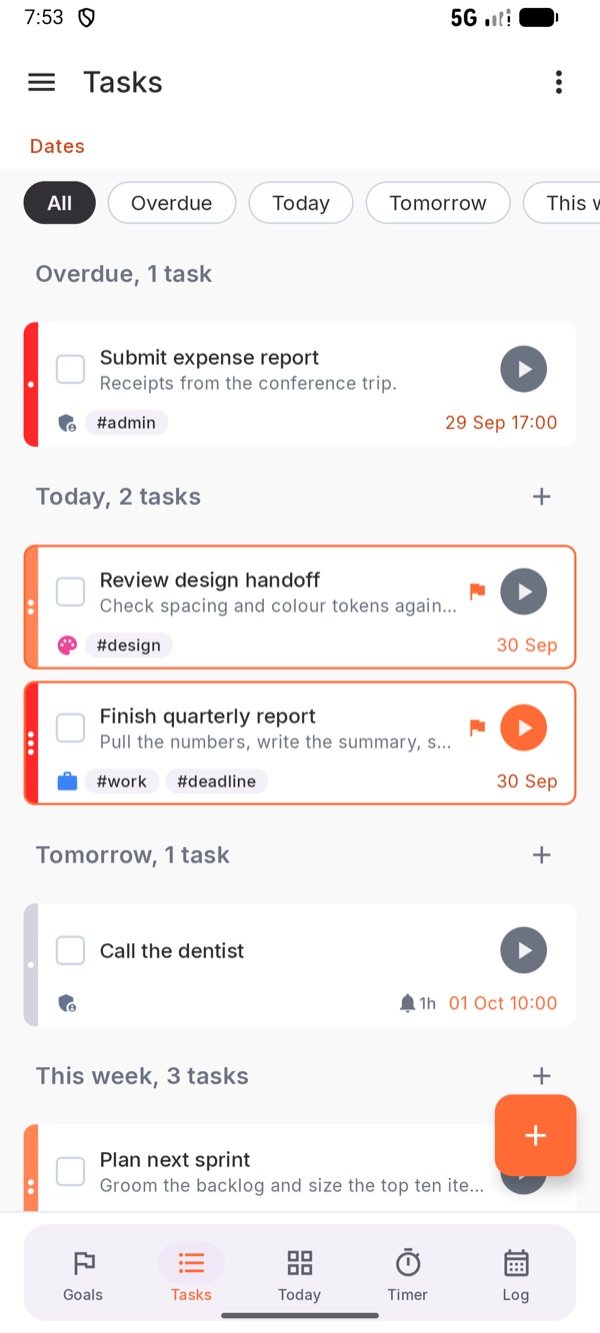
  • Group by energy, priority, due date, status, or urgency — switch any time
  • See what fits your current capacity, not just what's overdue
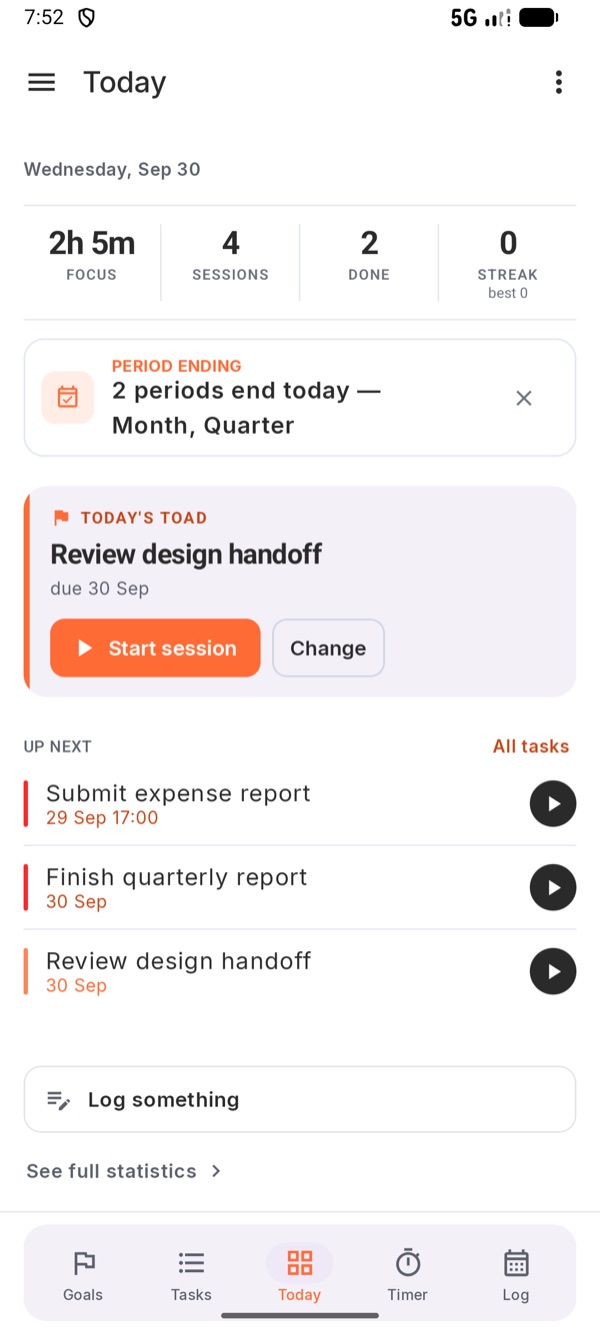
  • Pick one Toad a day — the task you'll tackle first
  • Set goals for the week, month, quarter, and year — tick them off, carry over what's unfinished, link tasks to them
  • A Today view: your stats, your Toad, and what's up next
  • Time per task logged automatically — no manual entry
  • Recurring tasks and actionable reminders — start focus or snooze from the notification
  • Organize with tags — import from Todoist or CSV to start fast
timer
02

Act

Work sessions that follow you everywhere

  • Pomodoro — time-boxed blocks with short breaks
  • Flow — open-ended sessions for deep work
  • Adaptive — durations set by your current energy
  • Real-time sync — pick up where you left off on any device
  • A morning brief with your day's tasks, one tap to start focus
  • Quick actions from the launcher shortcut
  • Wear OS and Apple Watch companions, Live Activity on iPhone
  • Works fully offline — syncs in the background when connected
monitoring
03

Track

See where your focus actually goes

  • See exactly where your time went — by task and activity type
  • Nine activity categories: Work, Meeting, Learning, Writing, and more
  • Weekly, monthly, quarterly, and yearly views — compared with the same point last period
  • A Log of what you actually did, not what you meant to — sessions and notes on one timeline
  • Streaks and a time-of-day chart to spot your patterns
  • Opt-in weekly summary every Sunday evening
Take a look

Five tabs.

Today dashboard
Today Your numbers, your Toad, what's next.
Task list grouped by date
Tasks Grouped the way you think — date, energy, priority.
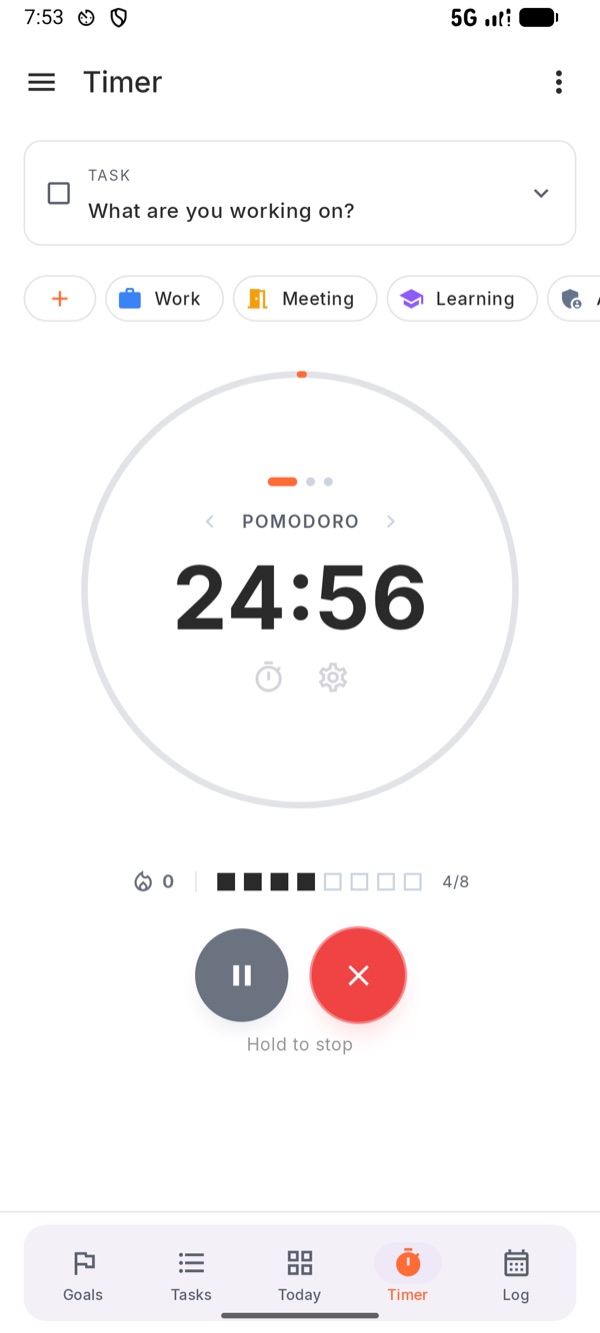
Pomodoro timer running
Timer Pomodoro, Flow, or Adaptive. Hold to stop.
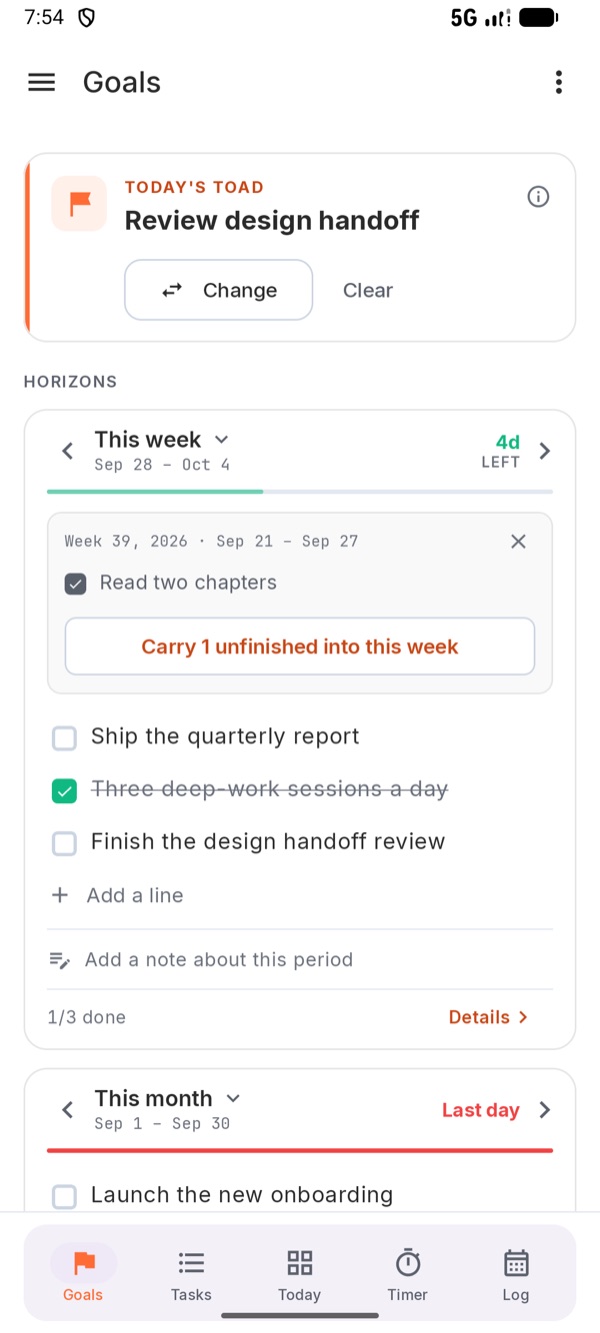
Goals for this week and month
Goals Week, month, quarter, year. Carry over the rest.
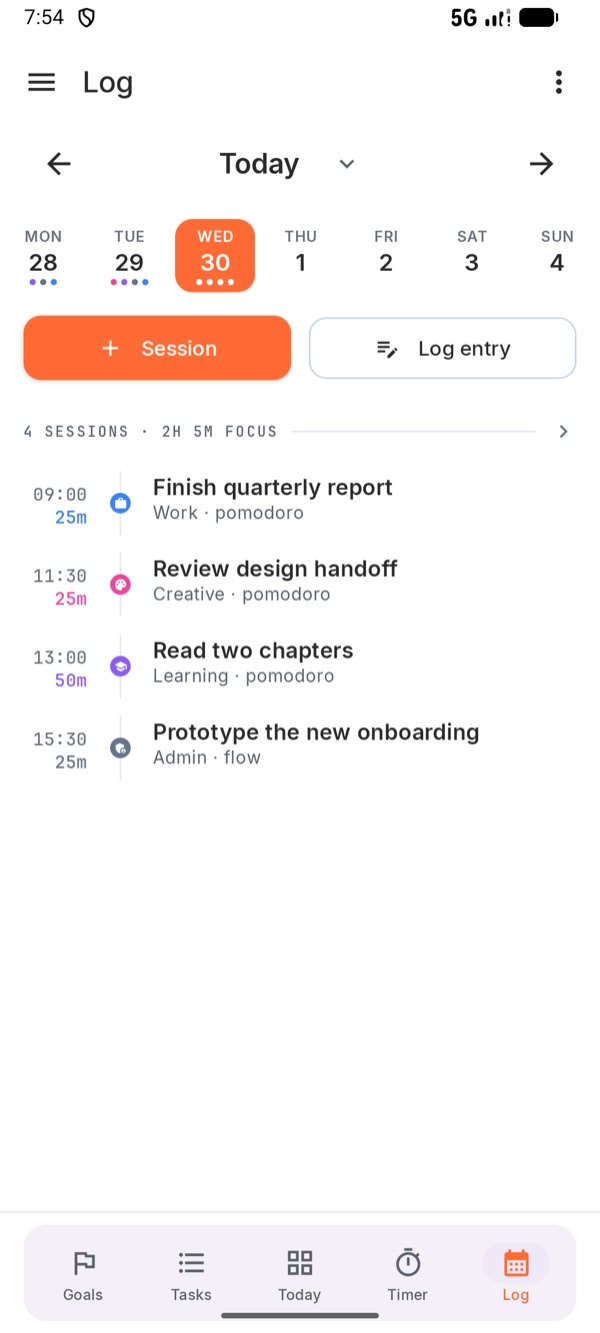
Log of today's sessions
Log What you actually did, hour by hour.
The energy model

Built for the days when starting is the hard part

Most task apps ask: what's important? Kombine asks: what can you actually do right now?

Every task in Kombine has an energy level — low, medium, or high — alongside its priority. When you're running on empty, filter to low-energy tasks and still move forward. When you're sharp, tackle the hard stuff.

It's a small change. It makes a big difference.

Energy Low Medium High
Overdue (1) This week (2) Later (2) No date
Outline Q3 product brief
notifications 1d · 29 Apr
play_arrow
Review pull request #2418
notifications 2d · 30 Apr
play_arrow
Refactor session sync layer
bolt High energy · 90 min
play_arrow
Available on

Where it runs

androidAndroid watchWear OS languageWeb phone_iphoneiOS + Apple Watch desktop_windowsDesktopSoon

Kombine is being built openly — architecture decisions, UI experiments, mistakes and all.

Kombine started as a personal problem. No existing app survived switching between phone, watch, and laptop without losing track of where you were. So I built one — evenings and weekends, alongside a full-time job.

It's a tool I use every day. I hope it becomes one you use too.

— ADAM

What's coming

Built in milestones.
Shipped in public.

Kombine ships in focused stages — each one adds more of your workflow to the mix. Here's where we're going, and where you can follow along.

01
Android + Wear OS Live
  • Tasks with energy levels and priorities
  • Pomodoro, Flow, and Adaptive timer sessions
  • Recurring tasks and launcher quick actions
  • Activity tracking — know where your focus went
  • Wear OS companion with watch complication
  • Goals for the week, month, quarter, and year
02
Backend & Sync Live
  • Work offline, sync when you're back
  • Real-time updates across phone, watch, and browser
  • No account required to start
03
iOS + Apple Watch Live
  • Everything from Android, now on iPhone
  • Apple Watch companion included
  • Start a session on one device, finish on another
04
Web App Live
  • Full Kombine in any browser — no install required
  • Pick up exactly where you left off on mobile
  • Synced in real time across all your devices
  • No install, no account required to start
05
Goals & Smarter Planning In progress
  • Goals are live — now they start steering your plan
  • Suggestions that weigh both your energy and your goals
  • Reports that show your real patterns
  • Reminders that fit your rhythm
06
Activity Tracking Further out
  • Learns which work actually drains you
  • From the focus sessions you choose to run
  • Labels your tasks more honestly, suggests what fits
  • On your device, opt-in
07
Desktop Further out
  • Native app for macOS, Windows, and Linux
  • Deep work at your desk, synced with everything else
  • Bonus: a terminal app, for people who live in the shell
Follow the build One email when each milestone ships. No newsletters, no noise.
Stay in the loop

Follow the build.

Get notified as new features ship, platforms launch, and the product grows. No newsletters — just a signal when something worth knowing happens.

Unsubscribe any time.